ACH Drafter
Stop wrestling with spreadsheets and manual data entry. Build, validate, and export NACHA-compliant payment files in minutes — with no per-transaction fees.
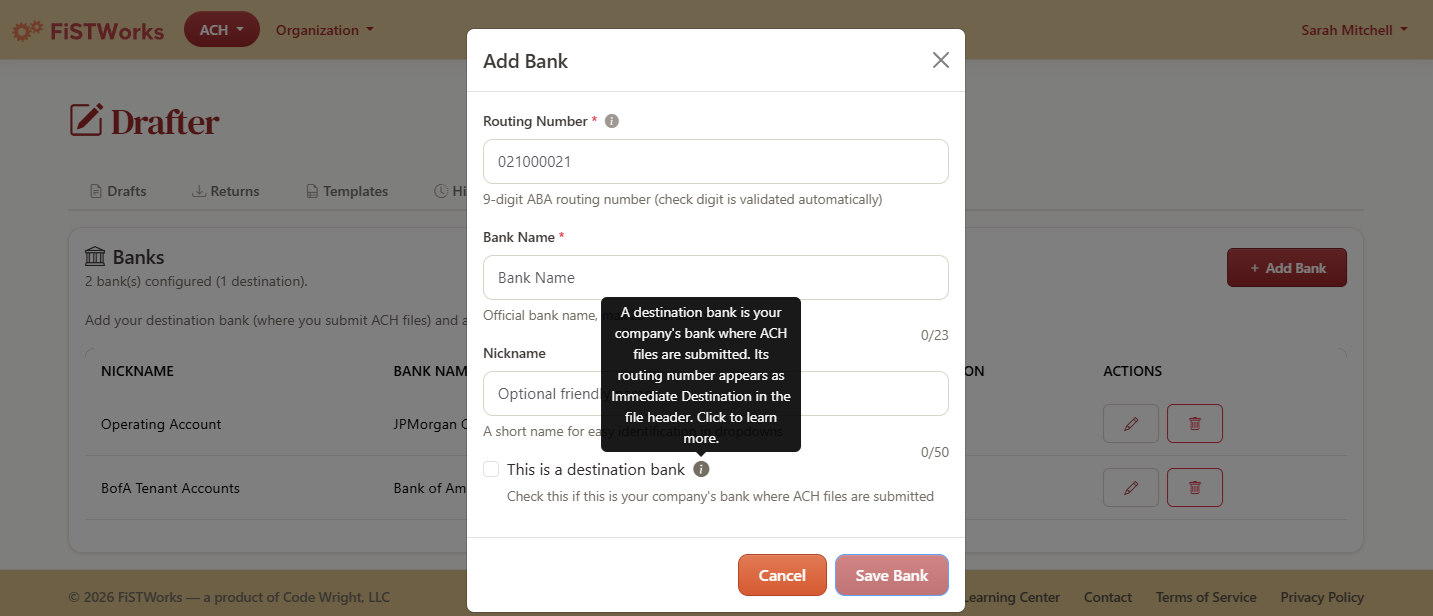
Set Up Once, Use Forever
A three-step wizard walks you through company info, banks, and recipients. Routing numbers are validated as you type, and every field links to a wiki article explaining what it means.
- Step-by-step setup wizard — no NACHA knowledge required
- Routing numbers validated on entry with the ABA check-digit algorithm
- Help links on every field explain NACHA terminology
- Save once, reuse across every file you create
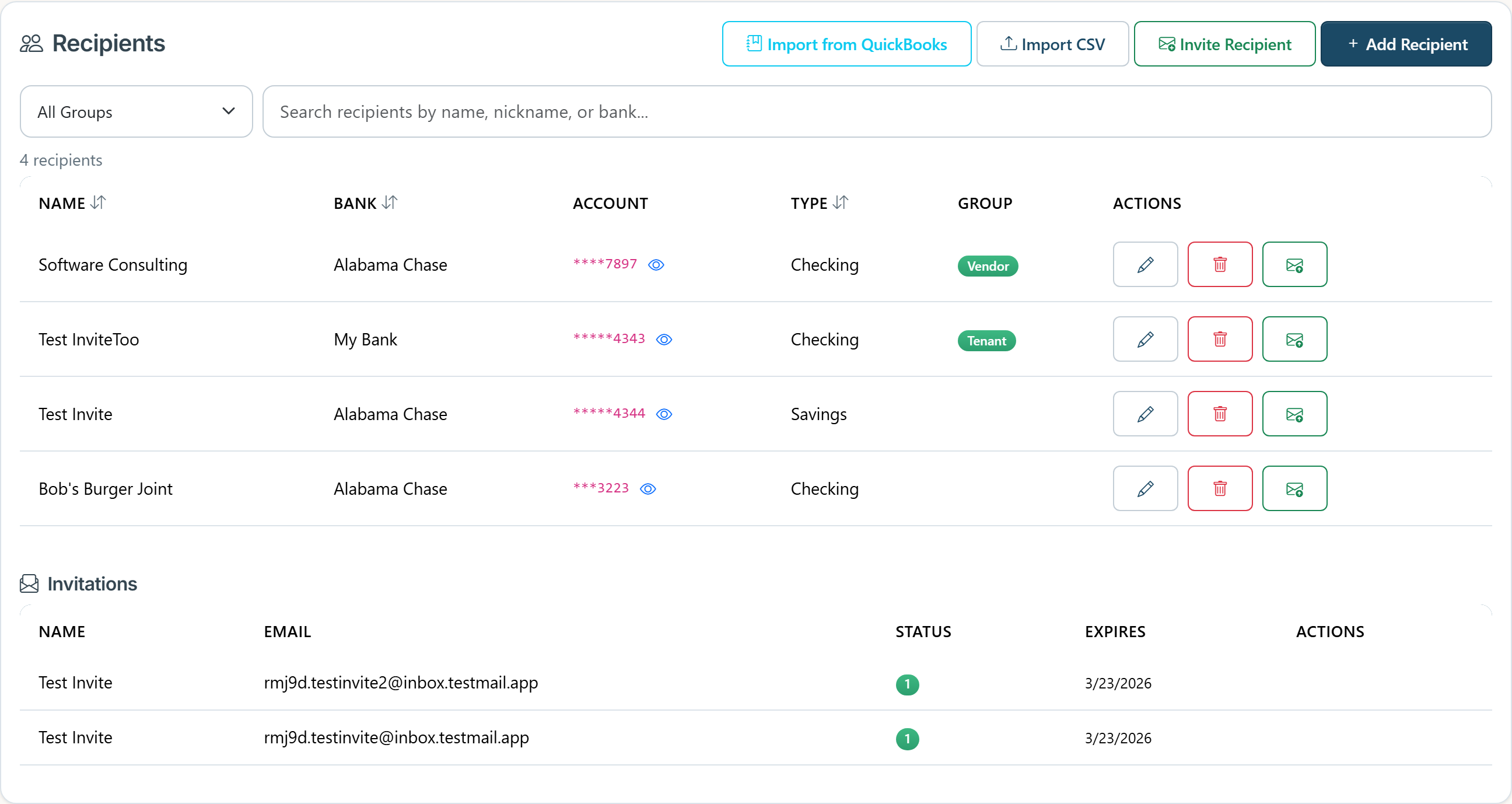
Recipients Directory & Bulk CSV Import
Store every recipient once, with their account details encrypted at rest and masked by default on screen. Need to add 200 vendors at once? Drop a CSV and we'll validate every row before importing.
- Encrypted at rest — SQL Always Encrypted protects account numbers end-to-end
- Masked by default — sensitive fields hidden, click to reveal when needed
- Bulk CSV import — download the template, paste in your data, preview every row before committing
- Per-row validation — invalid routing or account numbers flagged with a reason, not silently dropped
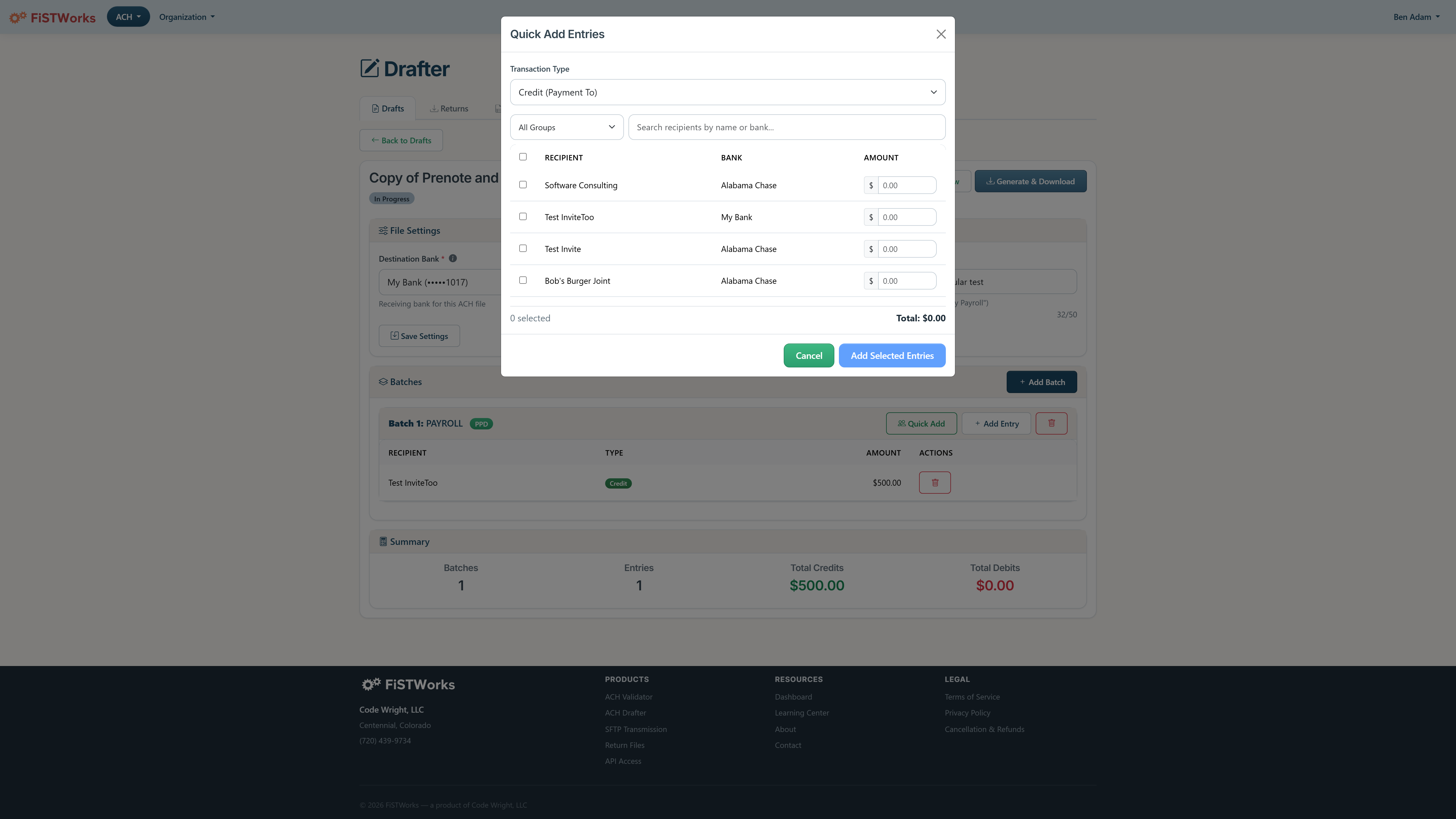
Drafts in Minutes, Not Hours
Stop re-keying the same payment data every cycle. Save drafts as templates, clone previous files, or use quick-add to pay every recipient in one sweep.
- Templates: save any draft as a reusable starting point
- Clone: duplicate last cycle's draft with one click — edit only what changed
- Quick-add: select recipients, set amounts, running total updates as you go
- Raw NACHA preview: see the exact file before you generate it
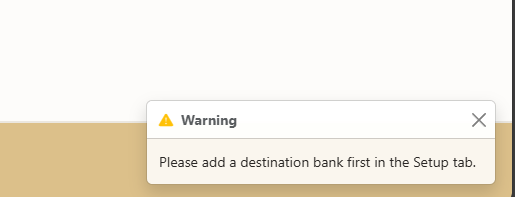
Validation That Speaks Your Language
Other tools show “Record 6: field 3 invalid.” FiSTWorks tells you “Amount at line 14, position 29: must be greater than $0.00.” Every file is validated before generation — broken files never leave the drafter.
- Human-readable error messages, not NACHA spec references
- Errors, warnings, and info categorized by severity
- Supports PPD, CCD, CTX, WEB, and TEL — each validated against its SEC-specific rules
- Fix issues inside the drafter — the file can't be generated until it's valid
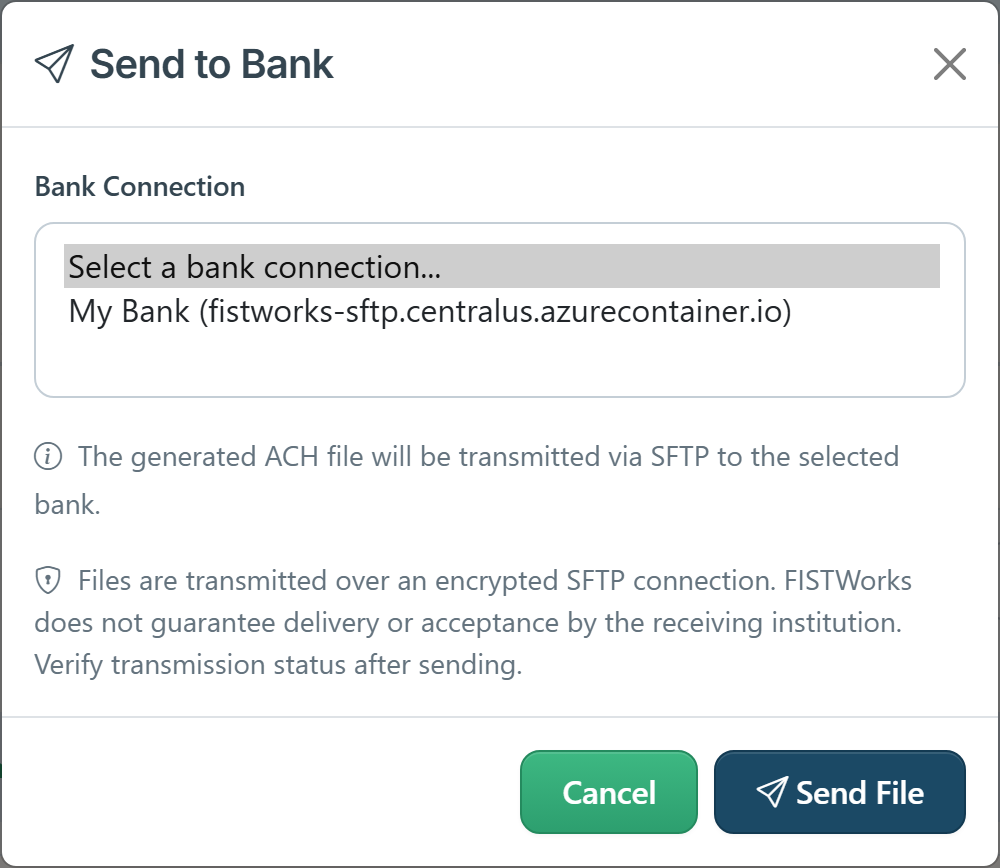
Send Files Directly to Your Bank
Skip the “download then upload” dance. Configure your bank's SFTP profile once and push generated files straight to them, with delivery confirmation and retries built in.
- Multiple SFTP profiles — route different files to different banks
- Delivery status tracked — Pending, Success, or Failed with retry counts
- Transmission duration logged for SLA evidence
- Included on Plus and Max plans
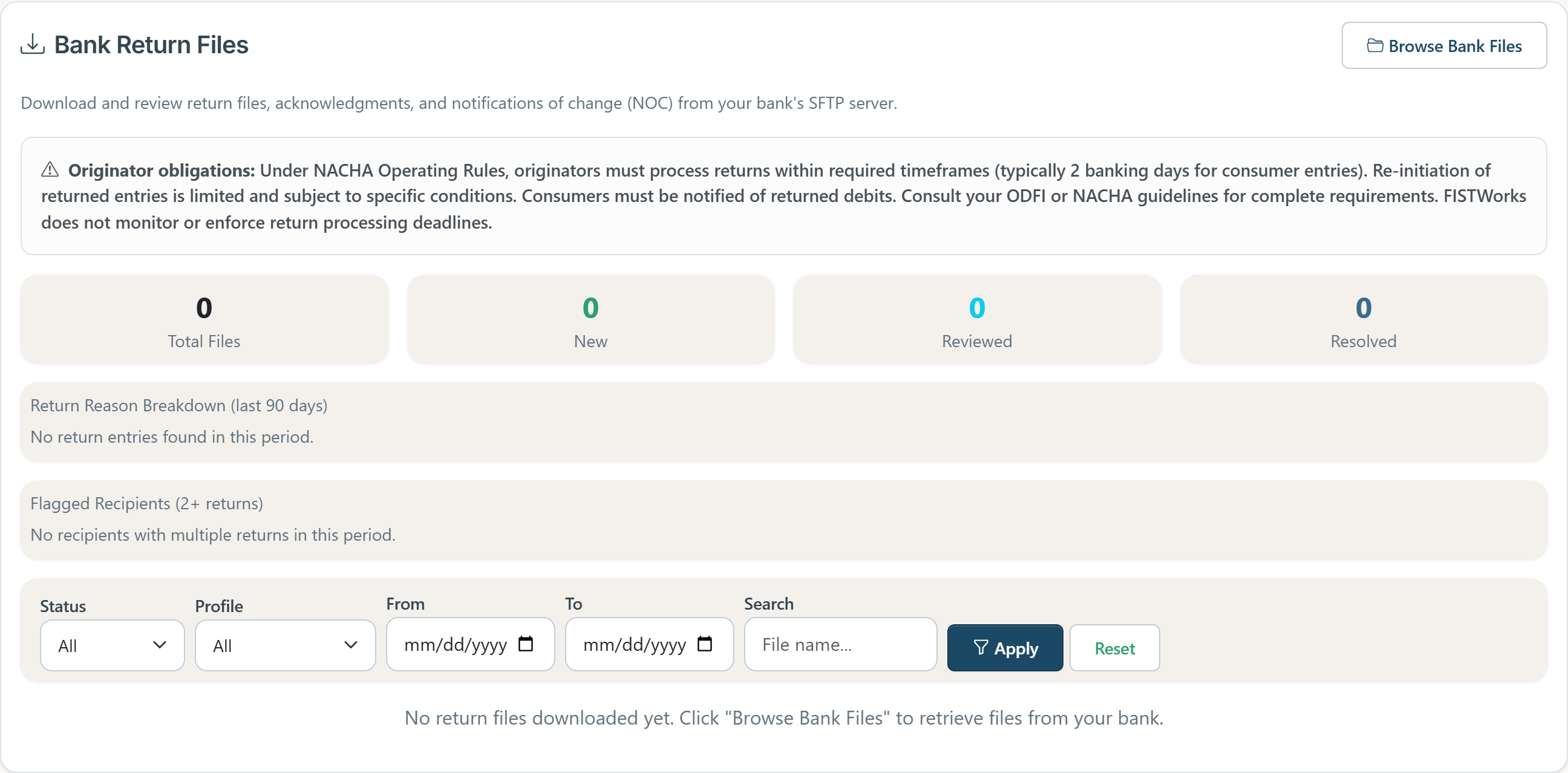
Returns & NOCs, Handled
When your bank posts a return file, FiSTWorks pulls it from SFTP so you can review, respond, and resolve. Most drafting tools stop at file delivery — we go end to end.
- Browse and retrieve return files directly from your bank's SFTP
- Track each return: New, Reviewed, or Resolved
- Attach notes to every return for an audit-ready paper trail
- Included on Plus and Max plans
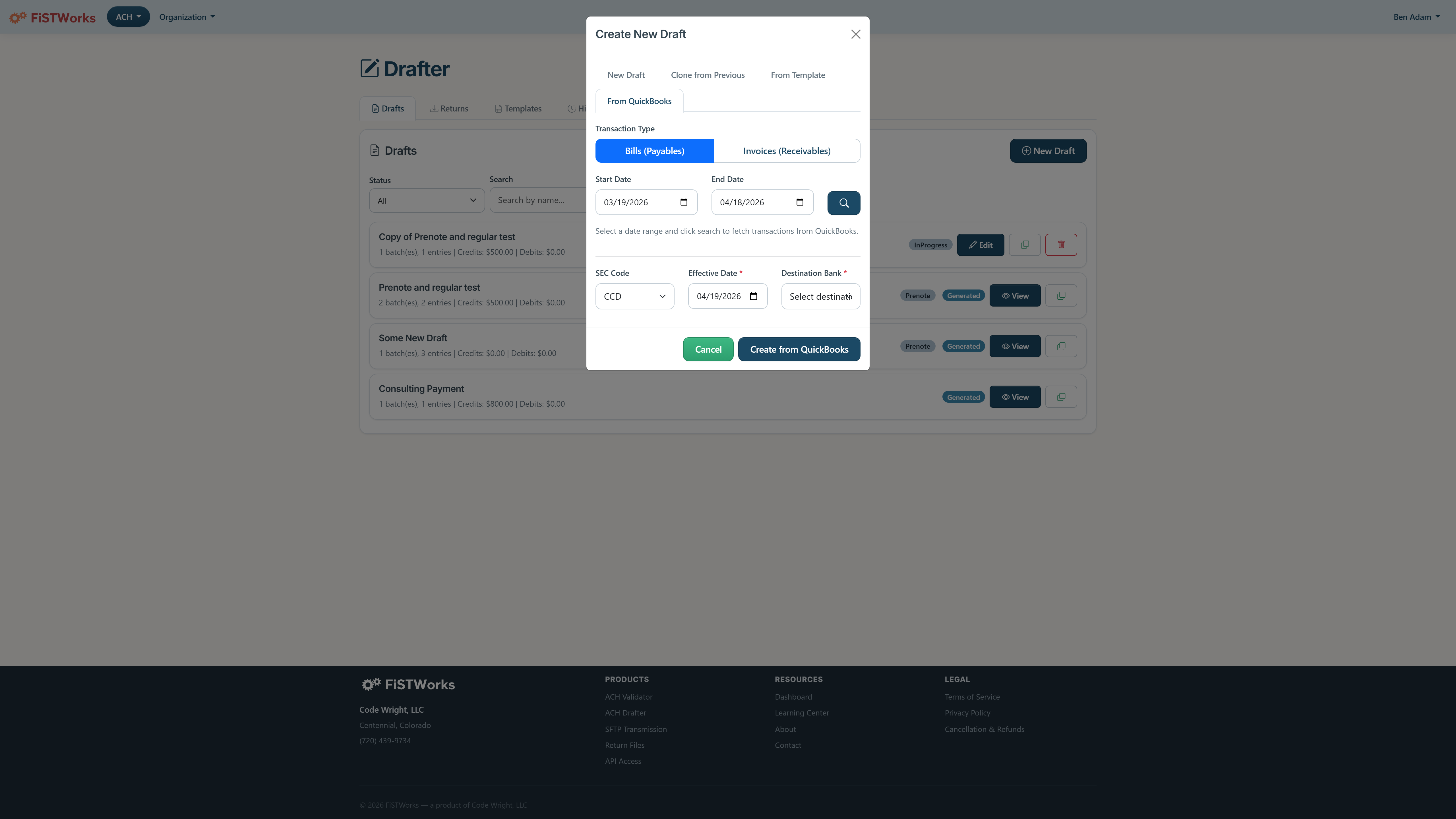
Pay From Your QuickBooks Bills
Connect QuickBooks Online and pull open bills or invoices straight into a draft. Apply a routing number in bulk, adjust individual amounts, and generate in minutes — your books stay in sync.
- Import bills (for payments) or invoices (for collections) on demand
- Vendor and customer lists pulled from QuickBooks — no re-keying
- Apply the same routing to an entire batch, or override per-entry
- Included on Pro, Plus, and Max plans
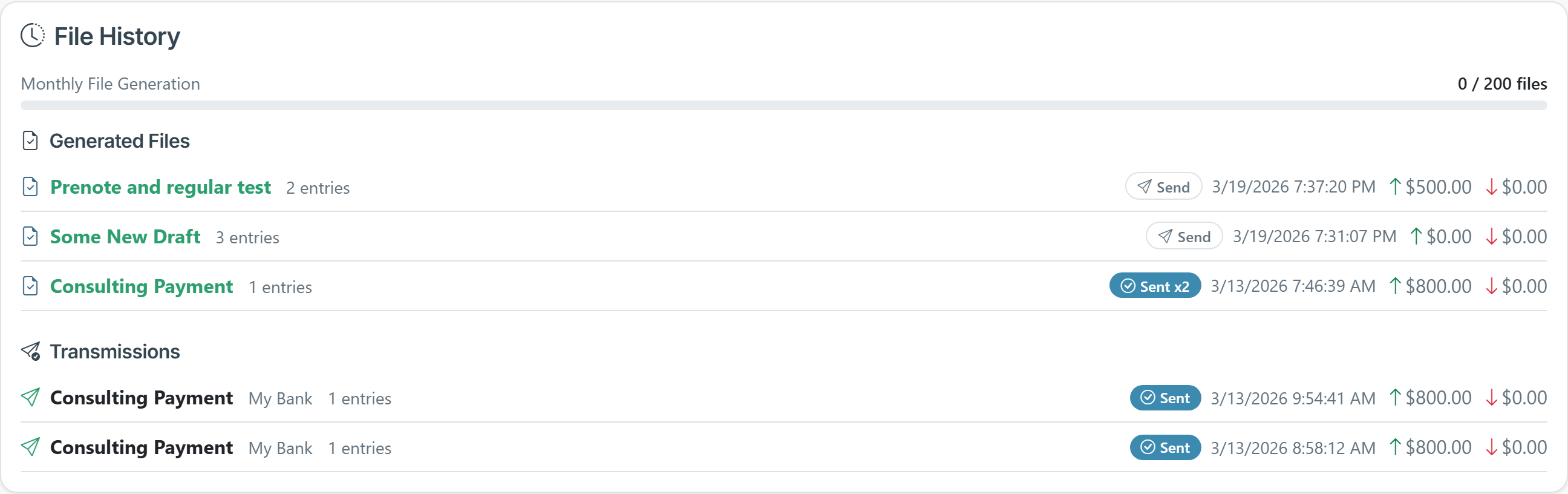
Built for Audit and Compliance
Every file you generate — and every transmission attempt — is logged with timestamps, status, and file counts. Drafts become read-only the moment a file is generated, so historical runs can't be altered after the fact.
- Generation history — every file ever produced, with timestamps and record counts
- Transmission history — delivery attempts, status, retries, and duration
- Read-only drafts — once generated, a draft is locked; clone to make changes
- CSV export — pull history into your existing compliance tooling
Everything You Need, Nothing You Don't.
A focused toolkit for teams that create ACH files regularly.
Bank Management
Set up your bank relationships once and reuse them across every file you create
Recipient Directory
Save recipient details securely so you never re-key account numbers
Batch Builder
Combine multiple payment batches into a single file — credits, debits, or both
NACHA Compliant
Every file is checked against NACHA formatting rules before you download it
Ready to Stop Writing Checks?
Start with a free account to validate ACH files, then upgrade to Pro to draft and generate your own.
Create Your Free Account